Statuo · MPEP

Open the section the answer used.

Ask only against the MPEP. The answer is §2163, chapter, page: a passage you can open, not a paraphrase you have to trust.

Cloud on AWS or Google Cloud. Or Ollama or Lemonade on a PC or laptop.

Statuo demo.

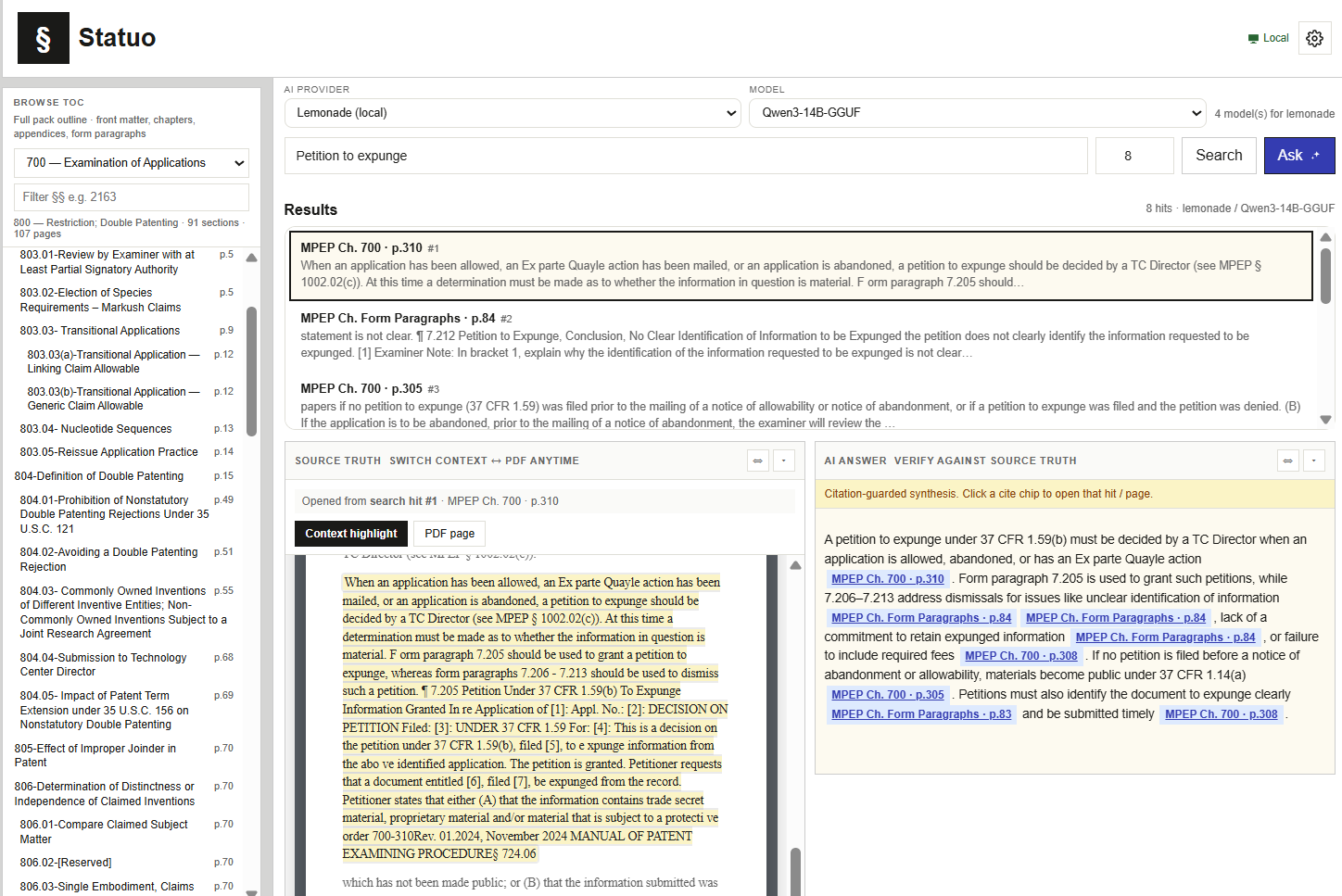
Source truth beside the answer

The passage, not a paraphrase.

Statuo shows the MPEP text the answer used, next to the answer.

Browse the manual.The full MPEP outline, chapter by chapter, with form paragraphs. Filter by section number.
§ 2163
Search, then ask.Hits come back as chapter and page. Ask, and the answer is built only from those hits.
Ch. 700 · p. 310
Check the answer against the source.Every cite chip opens the hit beside the answer, highlighted in context or on the PDF page.
Citation-guarded
Statuo: the MPEP table of contents, search results for 'petition to expunge' with chapter and page, the highlighted source passage, and a citation-guarded AI answer with MPEP cite chips.
“Petition to expunge”: hits by chapter and page, the source passage, and the cited answer.

One Statuo

The same lookup, wherever you work.

In Novi.Practitioners look up 112 while they draft, on the same application.
In Patent Law Prep.Candidates look up the real MPEP while they study. Same source.
On the desk.Run a local model with Lemonade or Ollama. The questions stay on the machine.

Where it runs

Cloud, or Ollama or Lemonade on the desk.

The file can stay on the premises. Use Statuo in the cloud on AWS or Google Cloud, or on a PC or laptop with Ollama or Lemonade.